


Don't delete imperfect phone photos just yet. That blurry sunset or dimly lit birthday cake deserves another look. We've all felt the sting of a ruined moment. Your hand trembled during the shot or the restaurant lighting killed the mood.
AI editors can now save blurry or poorly lit shots easily. These tools breathe life into images you thought were lost forever. Your memories get a real second chance now.
The AI Advantage
These tools use AI to automatically fix common issues like blur and lighting. They remove unwanted objects and enhance your original photo realistically. The software reads your image's pixel data to understand what went wrong.
It then reconstructs missing details by analyzing the surrounding context. You don't need technical skills to rescue a dark concert photo. The algorithm distinguishes between intentional grain and random noise patterns. Sharp areas stay sharp while smooth zones get cleaned up naturally.
RELATED: Top 15 AI & Digital Tools For Painters (2026)
Top 5 AI Photo Editors
1. Adobe Photoshop
Adobe Photoshop remains the gold standard for serious image work. Its Generative Fill feature lets you add elements using text prompts. Type "vintage motorcycle" and watch it appear in your scene authentically.
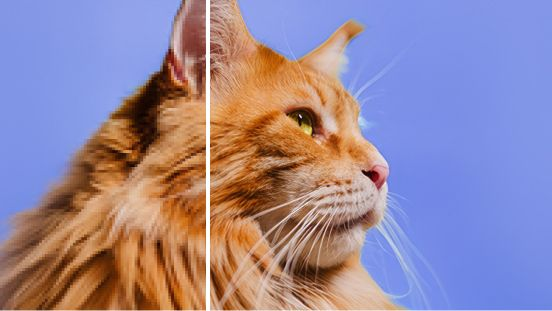
The software matches existing shadows and light sources with precision. New objects blend seamlessly into your original composition without visible edges. You can expand cramped photos into wider landscapes through Generative Expand.
Neural filters change facial expressions or adjust apparent age convincingly. The program handles lens distortion and perspective correction with granular control. You get access to layers and masks for complex editing tasks.
2. Nano Banana
Nano Banana lets you edit through natural conversation with the AI. Tell it to "brighten the left corner" or "add clouds." The system executes your vision without hunting through menus or toolbars.

This conversational approach removes the learning curve entirely from photo editing. You describe the mood you want and the software handles technicalities. It feels like working with a professional editor who understands intent. The tool supports iterative changes so you refine until it's perfect.
3. CyberLink PhotoDirector
CyberLink PhotoDirector balances power with an approachable interface for everyone. The software excels at sky replacement for boring vacation backdrops. It detects horizon lines automatically and places realistic clouds there naturally.
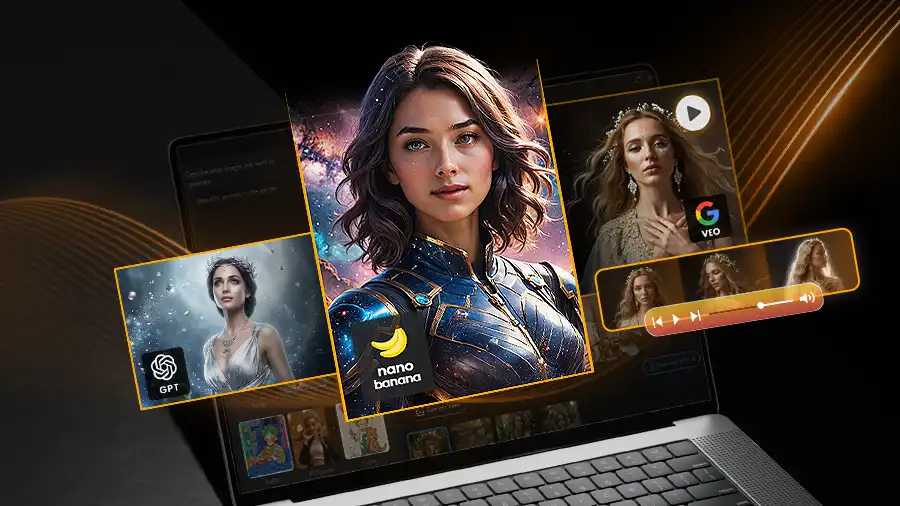
You can transform photos into digital paintings with creative filters. The tool sharpens blurry faces with a single click action. It includes body reshaping and skin smoothing for portrait photography.
Still images become animated for social media through built-in motion tools. The software handles 360-degree photos for immersive viewing experiences. You get professional features without paying professional software prices here.
4. Photoroom
Photoroom dominates mobile background removal with surgical precision and speed. The app isolates subjects from cluttered floors or messy rooms instantly. Edge detection works flawlessly even with wispy hair or complex outlines.

You can batch-edit dozens of product shots simultaneously on your phone. This saves hours for small business owners managing online stores efficiently. Pre-made studio backdrops number in the thousands for variety.
The tool adds realistic shadows to make subjects appear grounded naturally. You adjust lighting on the subject to match new backgrounds perfectly. Professional product catalogs get created in one afternoon with just smartphones.
5. Canva
Canva merges photo editing with graphic design in one platform smoothly. Magic Edit changes shirt colors or object hues with simple prompts. The drag-and-drop system requires zero previous design experience from users.

You get access to massive libraries of frames and templates. Brightness and saturation adjust through intuitive sliders anyone can master. Magic Grab moves subjects around within your image composition freely.
Text and stickers finish your visual projects for Instagram or Facebook. Cloud storage keeps all edited photos accessible across multiple devices. Teams collaborate on single designs in real-time through the platform. Auto-save prevents lost progress during creative sessions so nothing disappears.
Best Phone Tripods
Conclusion
Give your memories a second chance with AI-powered rescue tools. You don't need professional training to achieve professional results anymore. These platforms handle technical complexity while you focus on creative decisions.
Which tool will you try first on your forgotten gallery gems? Share your photo rescue results with friends who gave up hope. Your storage holds treasures waiting for digital revival right now.