


Official DJI accessories for the Pocket 3 add up fast. A stand costs money. A case costs more. A mount adapter costs even more. Add them together and you've spent nearly as much as the camera itself.
A 3D printer changes that math. With a spool of filament and a few free files, you can cover most of what you actually need. You get a desktop stand, a lens cover, a GoPro-style mount, and a travel case. Each one costs a few cents in plastic instead of dozens of dollars at checkout.
Where To Find Free DJI Osmo Pocket 4/3 3D Print Files
Two platforms host almost every design worth printing. Both let you filter by camera model, so you skip the guesswork.
Printables And MakerWorld
Printables hosts a large tag page dedicated to Osmo Pocket 3 accessories. Search "osmo pocket 3" and you'll find stands, covers, and mounts from dozens of designers.
MakerWorld works the same way but pulls in a slightly different community. Many of the best mount adapters and travel cases live here first. Checking both sites doubles your options before you commit to a print.
What To Check Before You Print Someone Else's Design
Read the license before you download anything. Some creators require attribution. Others allow commercial use and remixing without asking.
Check the comments section too. Other makers often post fit issues, better print settings, or warnings about weak spots. A few minutes of reading saves you a failed print.
RELATED: The Ultimate Guide To Travel Vlogging Camera And Accessories
Desktop Stands And Bases For Your Osmo Pocket 4/3
A good Osmo Pocket 3 desktop stand does one simple job. It holds the camera upright on a table and leaves room for the charging cable to plug in without tipping the whole thing over.
Best PLA Settings For A Sturdy Desktop Stand
PLA works best for stands because it's stiff, cheap, and prints with crisp detail. It won't flex or wobble once the camera sits inside it.
One popular option is the Osmo Pocket 3 Stand by songispm on MakerWorld. It's tall enough to hold the camera while it stays inside its factory sleeve, and it includes a molded quarter-inch tripod thread on the base. That thread lets you lock the stand onto a tripod or a desk plate.

For a stand this size, these settings hold up well:
- Layer height: 0.16mm to 0.20mm
- Infill: 15% to 20% gyroid
- Wall count: 3 perimeters, so the printed tripod thread doesn't strip
Gyroid infill keeps print time short without sacrificing the stiffness a stand needs. Three walls give the threaded section enough material to survive repeated screwing and unscrewing.
Gimbal And Lens Covers For Everyday Protection
The Pocket 3's gimbal and lens sit exposed on the front of the camera. A printed cover slips over that area and blocks dust, scratches, and the odd bump against your keys.
Print Settings For A Snug, Scratch-Free Fit
A loose cover falls off. A tight one cracks. Getting the fit right depends more on your printer's calibration than the file itself.
Most gimbal cover designs print well at 0.2mm layer height with 15% infill and three walls. One popular option, the Head Cover by basuke on Printables, uses a simple friction fit that needs no glue or magnets.
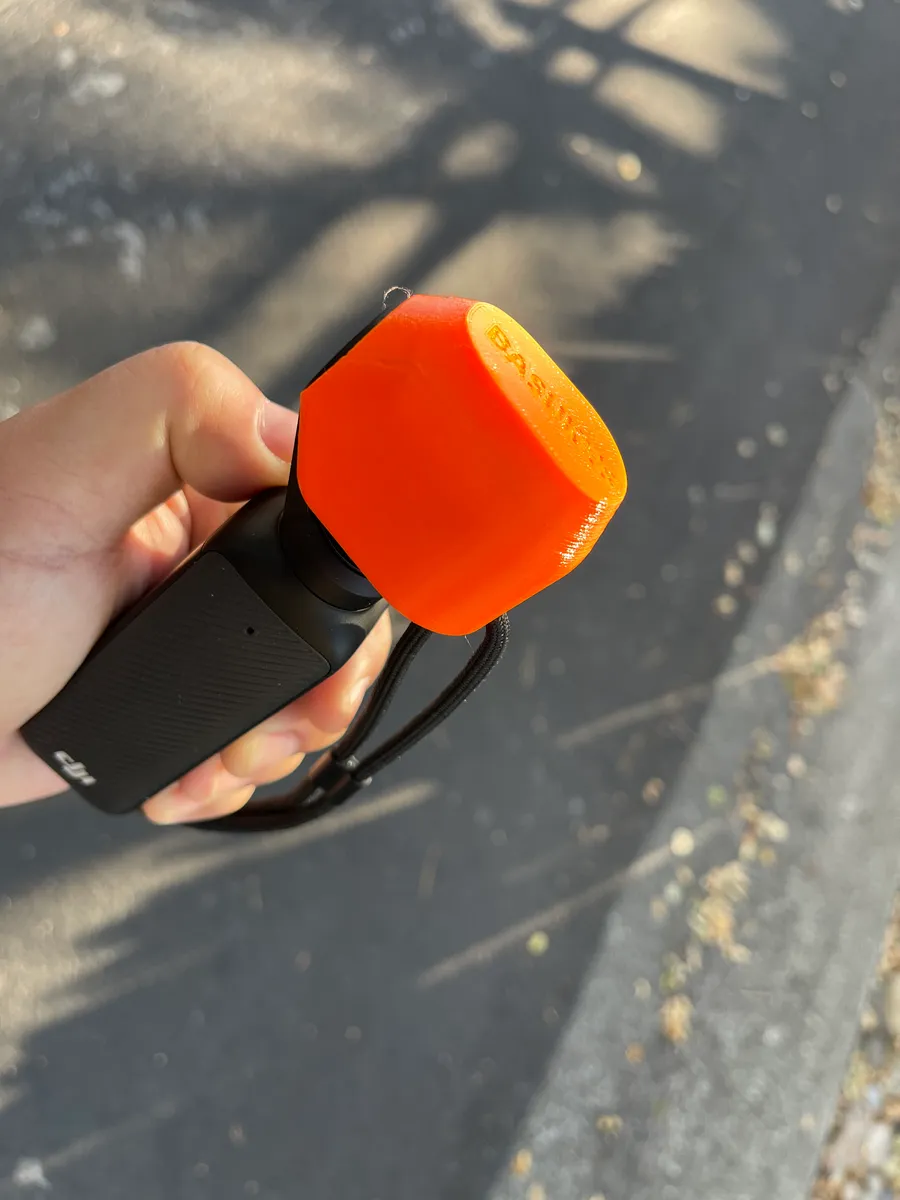
If your first print feels too tight, scale it up by one or two percent in your slicer. That small adjustment usually solves the problem without a full reprint.
GoPro Mount Adapters For Action Camera Compatibility
The Osmo Pocket 3 doesn't ship with GoPro-style mounting tabs, and that limits your options for straps, clamps, and tripods. A printed adapter fixes that gap in minutes.
Best PETG Settings For Mount Durability
Mounts take a beating. They snap onto GoPro buckles, shake during movement, and get squeezed tight by clamps. PLA cracks under that kind of repeated stress.
PETG handles it better because it flexes slightly before it breaks. That flex is exactly what keeps a mount's clip legs from snapping off during use.
The Osmo Pocket 3 Cage for GoPro Mount on MakerWorld is a solid example. You drop the camera straight through the top loop, and it instantly works with standard neck, chest, and backpack straps. Cutouts around the USB-C port let you keep charging while you record.
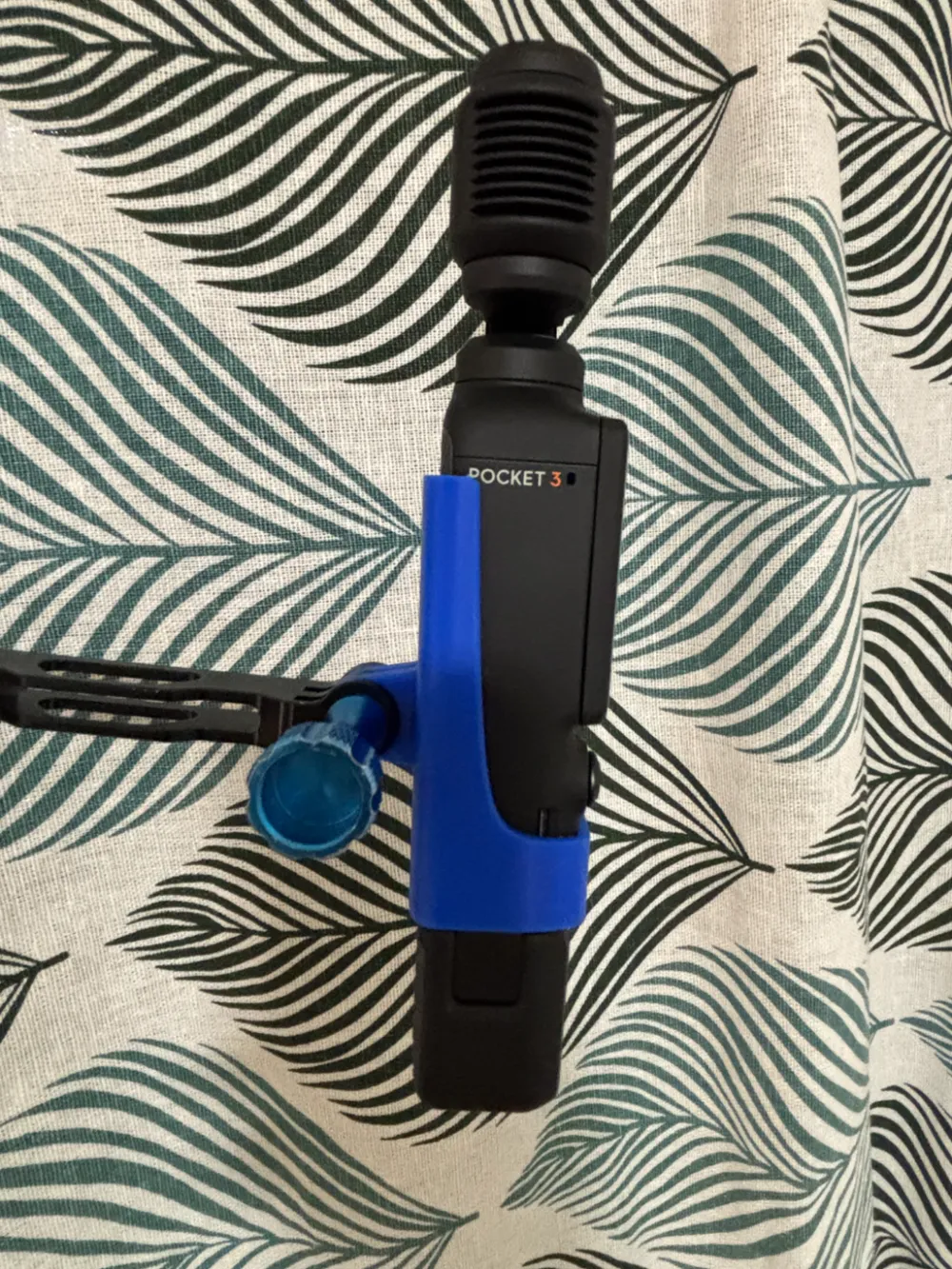
For PETG mounts like this one, use:
- Layer height: 0.16mm, for strong layer adhesion
- Walls: 4 to 5 perimeters, since strength comes from the outer shell, not the infill
- Cooling fan: 20% to 30% max, so layers fuse instead of splitting apart
The GoPro Mount by emre on Printables offers another route. It's a remix of RiffleHatch's original Osmo Pocket 3 GoPro mount from Thingiverse and needs one M5 square nut. Keep supports snug and placed only at the edge of the nut slot, not inside it, or the nut won't seat properly. The license allows commercial use and remixing, and it doesn't require attribution if you share your own print.
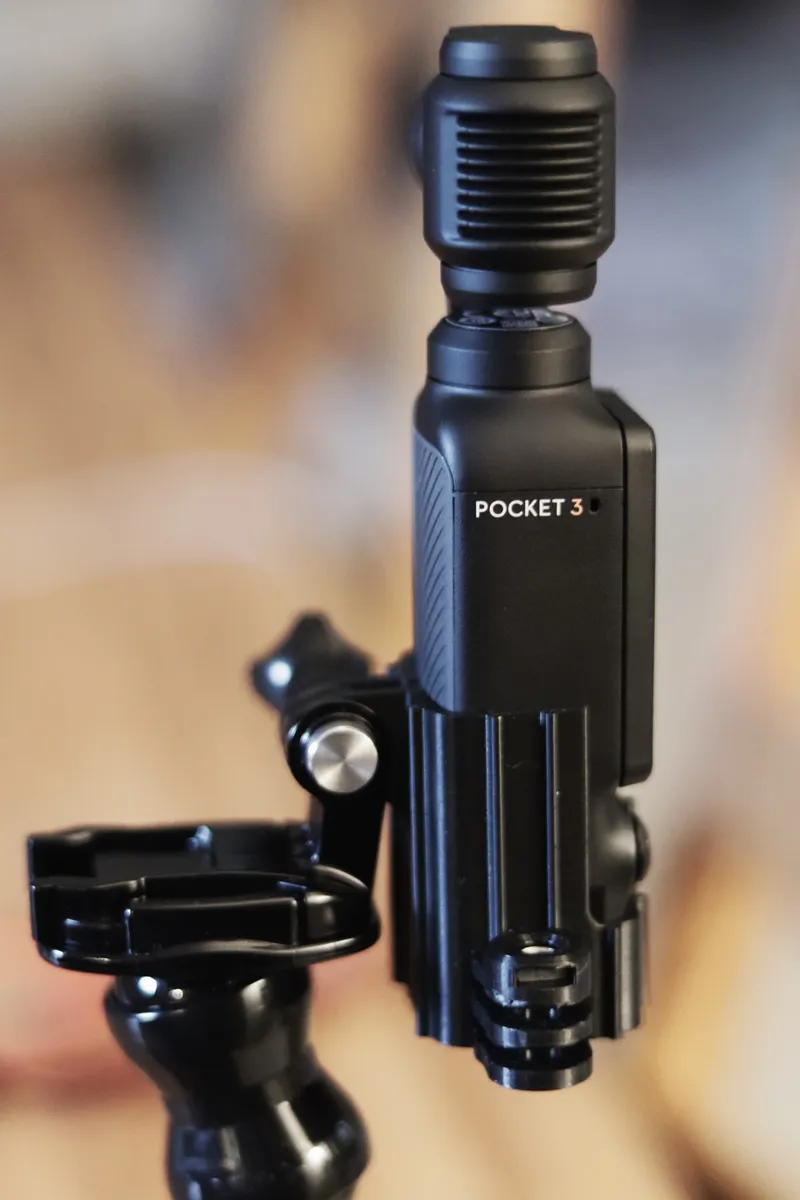
Cages, Belt Clips, And Backpack Mounts
Modular cages turn your Pocket 3 into a small rig. They add extra mounting points for microphones, lights, and quick-release clips, all without permanently altering the camera itself.
Backpack And Chest Mount Options
Hands-free filming works better with a strap mount. The Backpack Mount by DayNight on Printables clips onto a standard backpack strap or any GoPro-style mount point. It builds on an earlier design by Rimzler.
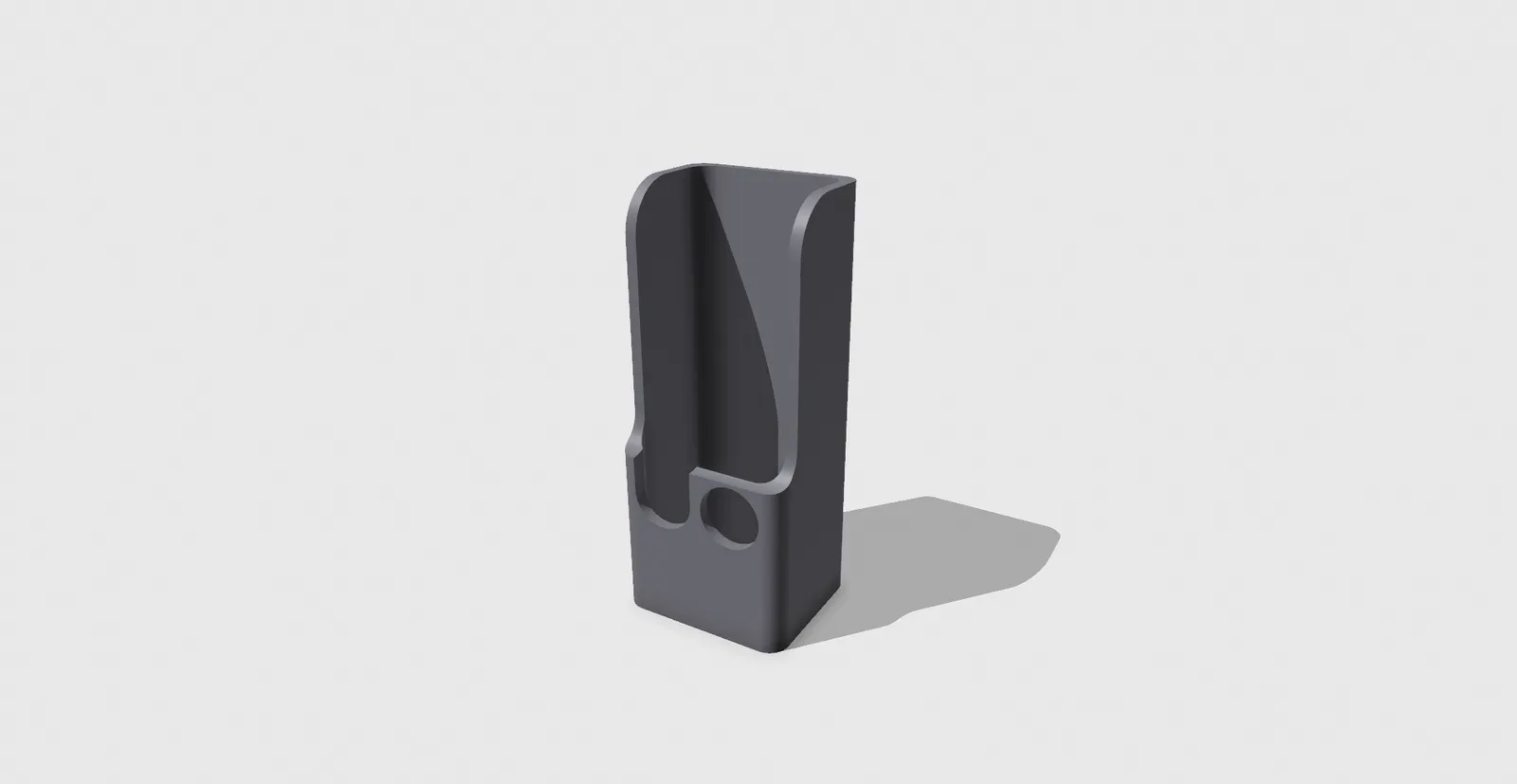
It leaves the bottom open for the USB port, so cables reach the camera without removing the mount. A small cutout also clears the joystick, so you keep full control while the camera stays strapped in place.
Front-Mount GoPro Adapters For Comfortable Handheld Use
Some designs move the mounting point to the front of the camera instead of the bottom. The Front Mount GoPro Adapter by Jeff Nee on Printables does exactly that.
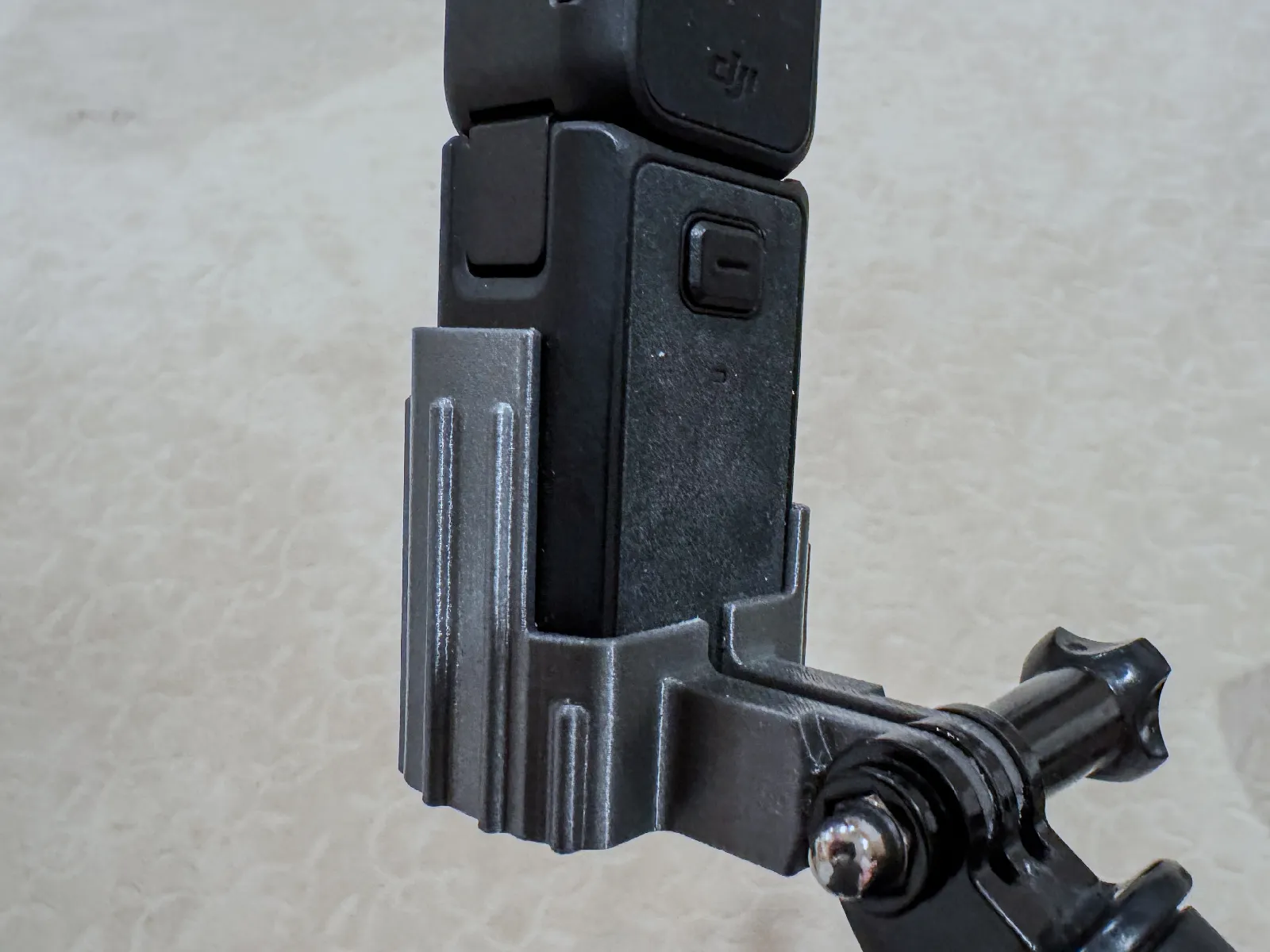
Holding a short stick with a front-facing mount feels more natural than a bottom mount. It also fits the extra battery handle from the Creator Package, and it leaves the microphone, controls, and charging port fully accessible.
Building A Rugged Travel Case For Your Osmo Pocket 3
An Osmo Pocket 3 travel case needs to survive more than a desktop stand ever will. It gets tossed in bags, left in hot cars, and stacked under other gear.
Hardware and Print Settings for a Working Latch System
The Rugged Travel Case on MakerWorld, styled after a Pelican protector case, holds the camera, the expansion handle, SD cards, and magnetic filters in one box. It uses working latches and a hinge, not just a snap-fit lid.
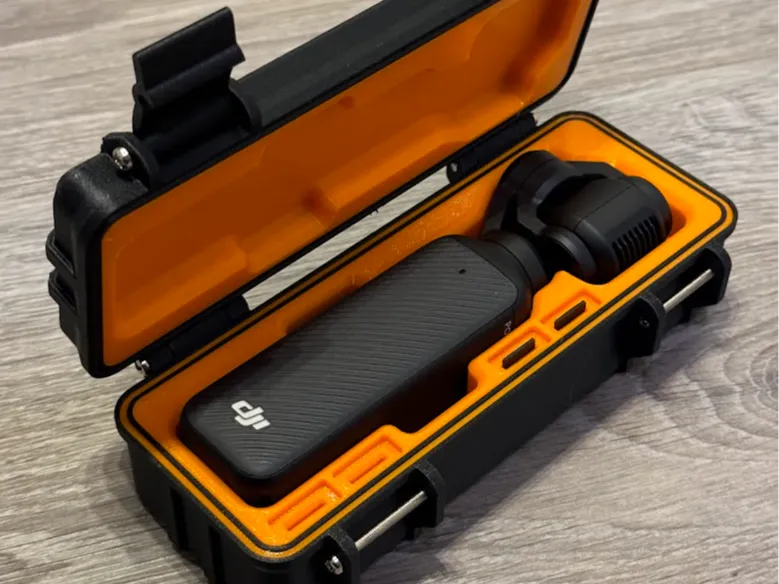
Building it takes six M3 by 30mm machine screws to assemble the hinge and the front latches correctly. Skipping the hardware step leaves the case weaker than it needs to be.
Print the shell in PETG at 25% infill or higher around the latch mechanism, since that area takes the most repeated stress. Once printed, line the interior bays with adhesive foam sponge tape. That small addition stops the hard plastic from rubbing against your lens or camera body during transport.
Extended Handgrips For Better Ergonomics
The Pocket 3 is small, and that's great for portability but tough on bigger hands during long shoots. An extended handgrip solves that in one print.
A printed grip adds length and width to the base of the camera, giving you more surface to hold onto. Vloggers who shoot handheld for long stretches notice the difference fastest, since a secure grip reduces fatigue and shake over a full day of filming.
Specialty Mounts Worth Printing
Beyond the basics, a handful of niche mounts solve problems that official accessories never touch. Most take under an hour to print and use almost no filament.
Vehicle Display Mounts
The Tesla Center Display Mount by Roland on Printables clips onto a vehicle's center screen and holds the Pocket 3 steady for dash-style recording. Placing a thin rubber mat behind the mount and under its hooks keeps the display scratch-free and stops the mount from sliding.
Some builders also add a drop of superglue between the two printed halves for extra hold. It's a small step, but it keeps the mount from separating under vibration on rougher roads.
Novelty And Niche Mounting Solutions
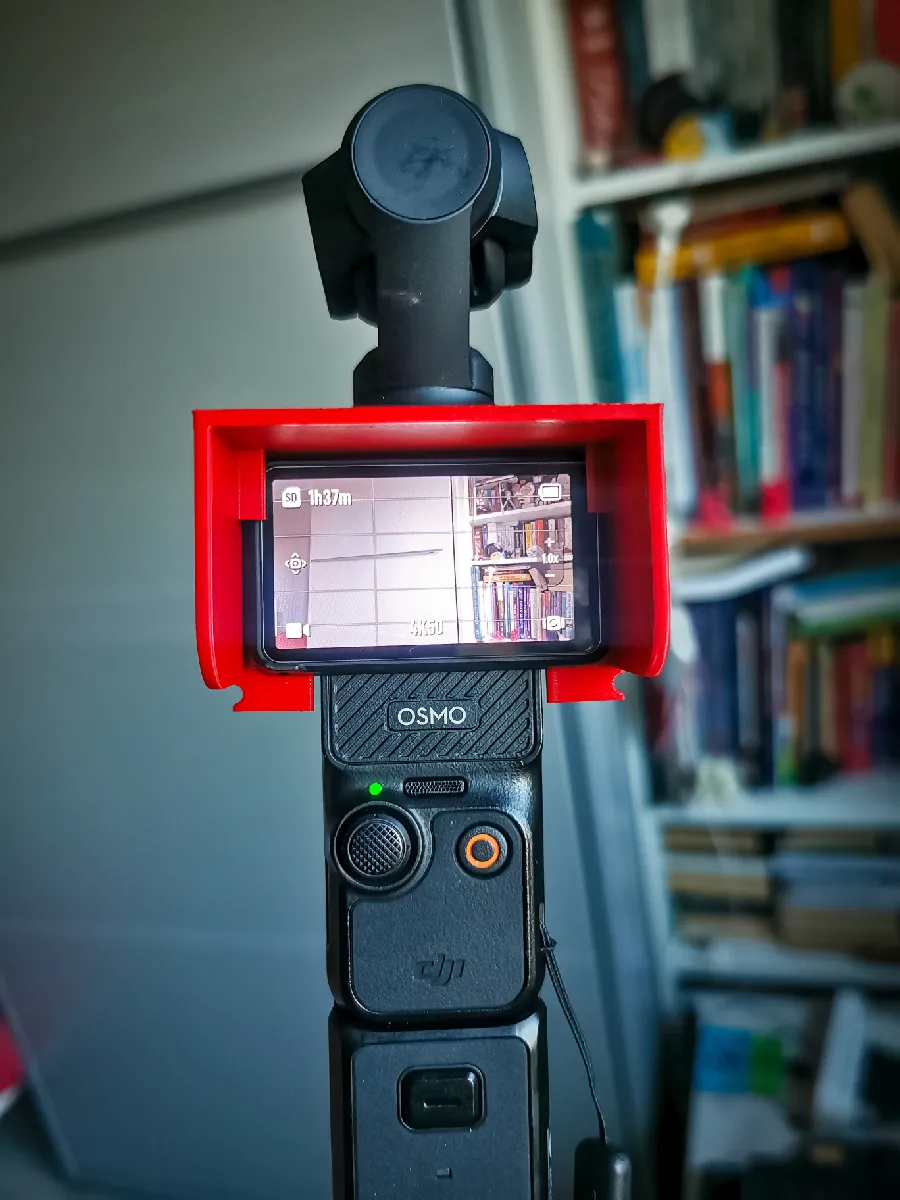
Sun screen attachments count as a specialty print too. The Sun Screen Protection by Robert Wiśniewski on Printables shields the display from glare during outdoor shoots without adding real bulk to the camera. It prints cleanly with a 0.4mm nozzle at 0.2mm layer height and 15% infill.
Desktop stand variations are worth a look too. The Desktop Stand by Keanu on Printables trims the strap slot out of the design entirely, and it still works fine with the handle's charging port.
Common Mistakes To Avoid When Printing Osmo Pocket 3 Accessories
A few small errors ruin more prints than bad files ever do. Watch for these before you hit print:
- Skipping license checks, which can cause issues if you sell or share your prints
- Using PLA for anything that flexes or clips repeatedly, since it cracks under stress
- Printing sealed enclosures without airflow, which traps heat during long 4K recording
- Ignoring comment sections, where other makers flag fit problems before you hit them
- Using too few walls on structural parts like tripod threads or latch mechanisms
Airflow matters more than most people expect. A snug case looks great until the camera overheats and shuts down mid-shoot. Leaving small vents in enclosed designs keeps that from happening.
Best Accessories For DJI Osmo Pocket 4/3:
Conclusion
A 3D printer turns a short list of expensive accessories into a weekend project. Stands, covers, mounts, and cases all become achievable once you know which files to trust and which settings actually hold up.
Start with one print, whether it's a simple desktop stand or a GoPro mount adapter, and build your kit from there. Once you see how much a few dollars of filament can replace, it's hard to go back to paying retail prices for plastic parts.